For restaurants & cafés

Runner System

A new, proven method for F&B businesses to handle peak hours without affecting the customer experience.

For your customer, it is as easy as telling a runner the order and paying the runner directly. For you, it means as many runners on the floor as the crowd needs, and every runner works like a cash counter.

For your customer, it takes three steps

No billing desk to find and no line to stand in.

1

Tell a runner the order

Wherever the customer is standing or sitting.

2

Get it from the runner

The same runner brings the order from the counter.

3

Pay the runner directly

In cash, or by scanning the runner’s own UPI QR code.

No queue at the cash desk, even at the busiest hour.

The problem at peak hour

As many runners as your crowd needs

What happens behind the counter

These are the real screens running at Nawabi Chai House, shown here with sample orders.
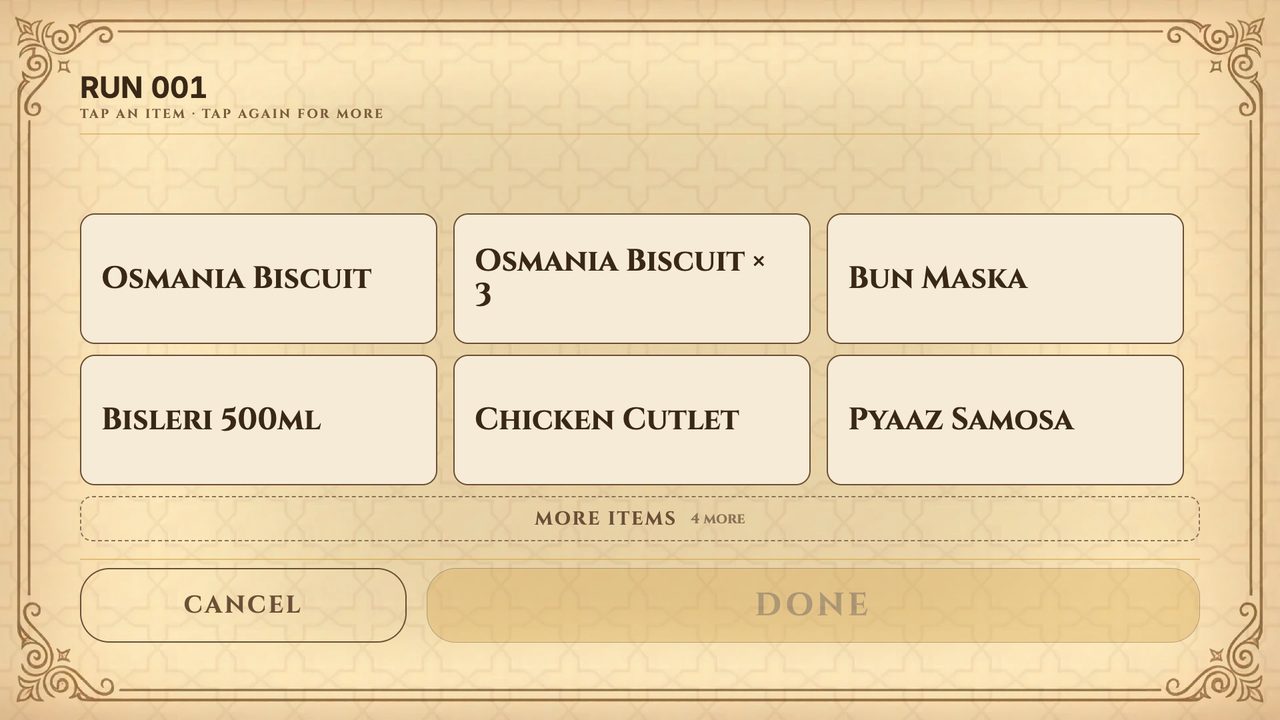
Shared runner tablet at the counter, showing the item buttons for a runner's order

1 · One tablet for all runners

The runner walks to the shared tablet at the counter and waves his band. That puts the order in his name, and only his band can do it. He taps the items and presses DONE.

Shared runner tablet
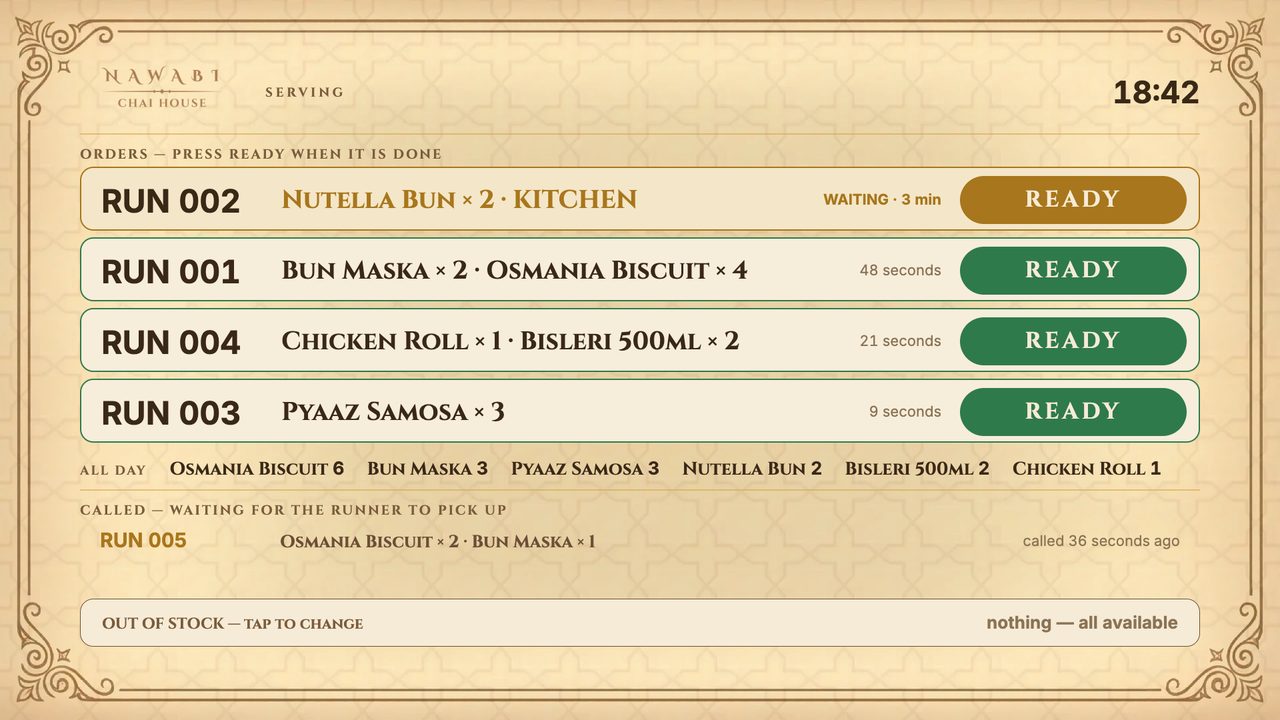
Counter screen listing runner orders, each with a READY button

2 · The counter makes it and taps READY

Every runner’s order appears on the counter screen, oldest first, and turns amber, then red, as it waits. Kitchen items also go to the kitchen screen. When an order is done, the counter taps READY and the tablet calls out that runner’s number.

Counter screen
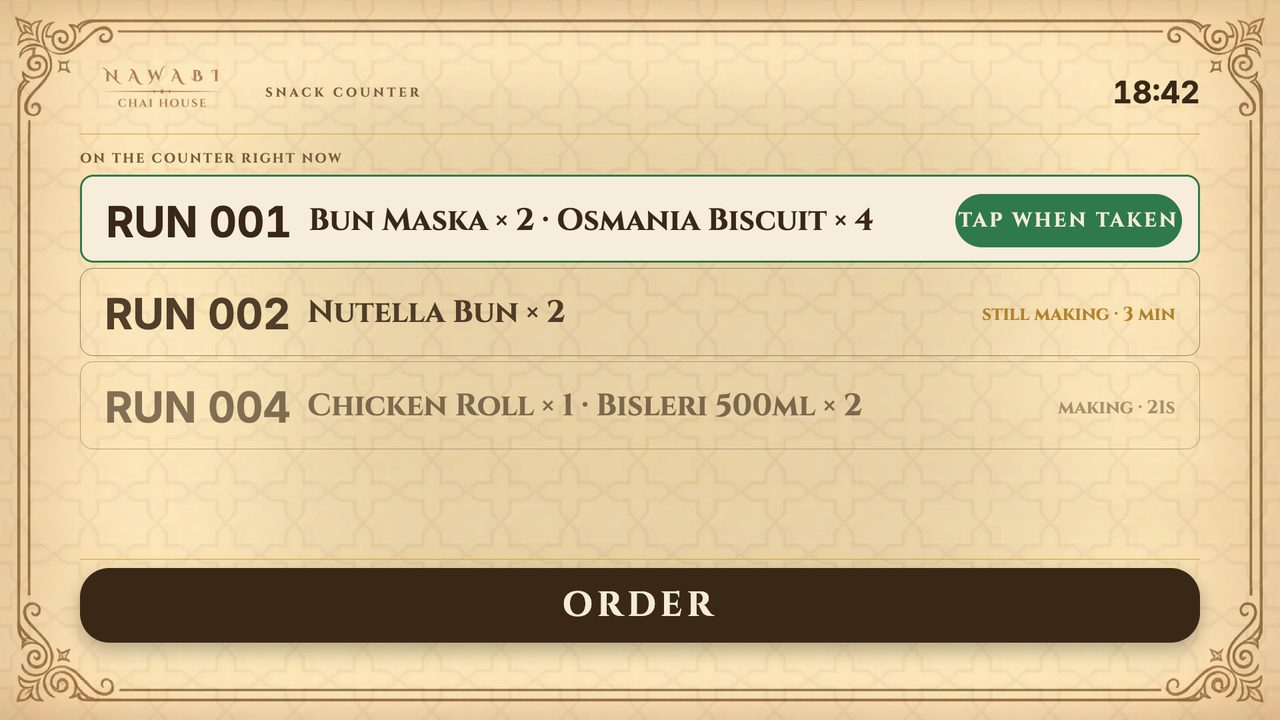
Shared runner tablet showing a ready order for RUN 001 with the TAP WHEN TAKEN button

3 · The runner picks it up, and it is billed to him

He waves his band again and taps TAKEN. From that moment the order is on his account. The customer’s cash, or the UPI payment to his own QR code, settles it.

Shared runner tablet

Live at Nawabi Chai House, Shivajinagar

We run restaurants too. Nawabi Chai House serves its crowd with runners, and since September 2026 their orders run on these screens: the shared runner tablet, the counter screen and the kitchen screen.

Common questions

Does every runner need a tablet or a phone?
No. All runners use one shared tablet at the counter. Each runner has a band that identifies him and his own UPI QR code for payments.
How does the customer pay?
Directly to the runner, in cash or by scanning the runner’s UPI QR code. There is no separate trip to a billing desk.
How many runners can I have at once?
As many as your crowd needs. Every runner takes orders and payments, so adding a runner at peak hour works like opening another cash counter.
What stops mistakes and missing money?
An order only counts against a runner when he waves his own band and taps TAKEN, and a mis-tap can be undone within a few seconds. Every plate he picks up is billed to him, so you always know who carried what.
Do I need your billing system?
Yes. The Runner System works with the SparkSol Billing System, and every runner order lands in your billing automatically.
What if the internet goes down?
The screens work online, so an internet cut pauses them until the connection is back. For busy outlets we recommend a backup internet connection for peak hours.

Handle your next rush without a queue.

Message us and we’ll show you the Runner System working at Nawabi Chai House.

Talk to Us on WhatsApp